
Funke Wallet Challenge
The Lissi Wallet is a finalist of the Funke Wallet Challenge where the German Federal Agency for Breakthrough Innovation SPRIND aims to develop and test technical solutions for the future German EUDI wallets. More information about the Wallet Challenge can be found here.
App Versions
We distribute a special version of the Lissi Wallet for the Funke Wallet Competition. This prototype version includes the issuance of a German PID via an issuer of Bundesdruckerei GmbH.
To download the app you may follow the instructions below for your operating system:
iOS
Download Testflight on your iOS device.
Join the Funke Beta on Testflight here.

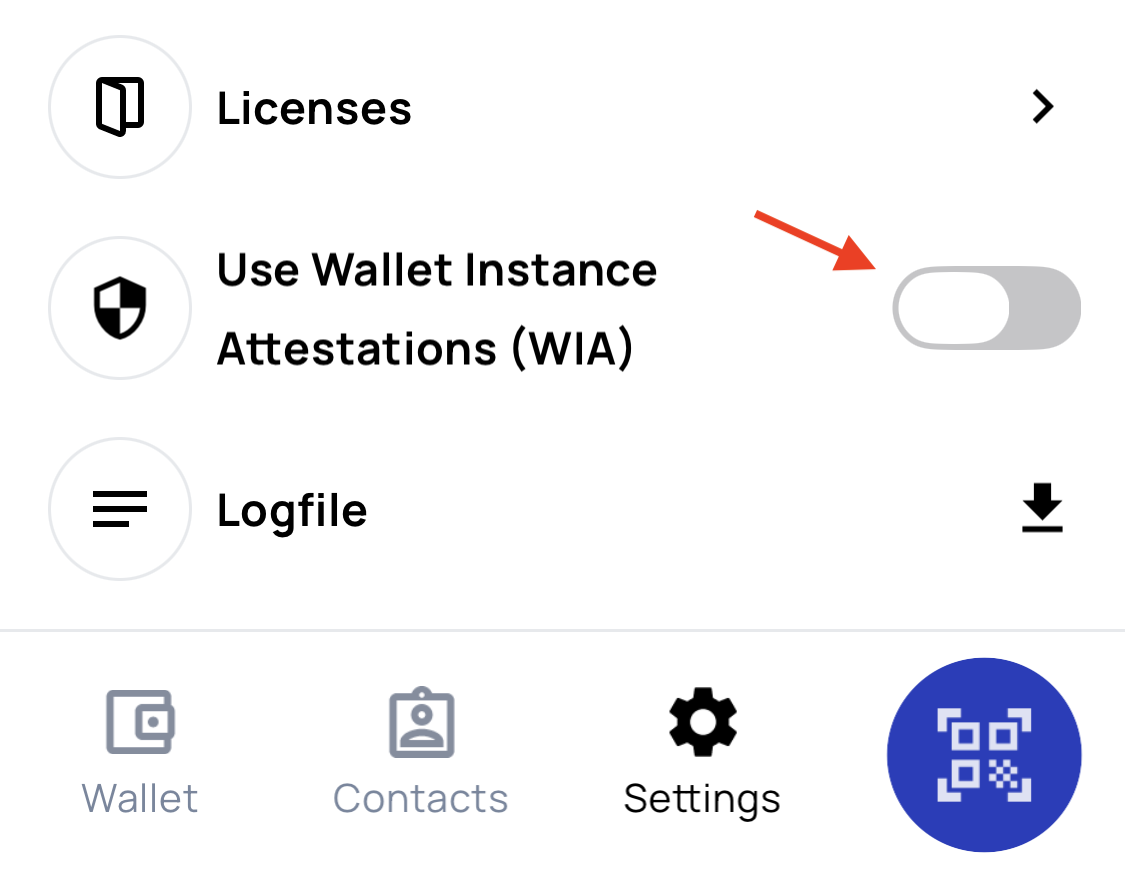
Ensure that you have installed the correct version. Open the app go to Settings → Licenses and check that the display version number has the following format: v2.X.X-exp-rc.X

Please make sure to disable the Wallet Instance Attestation (WIA) feature in the settings.
PID Issuance

Starting from version 2.8.0 of the Lissi ID-Wallet you can use a simulated eID card for the issuance of the PID.
To use the PID issuance feature within the Funke version of the Lissi Wallet you may use a physical test eID card or you may use a simulated card. More information on how to get these physical test eID cards can be found here.
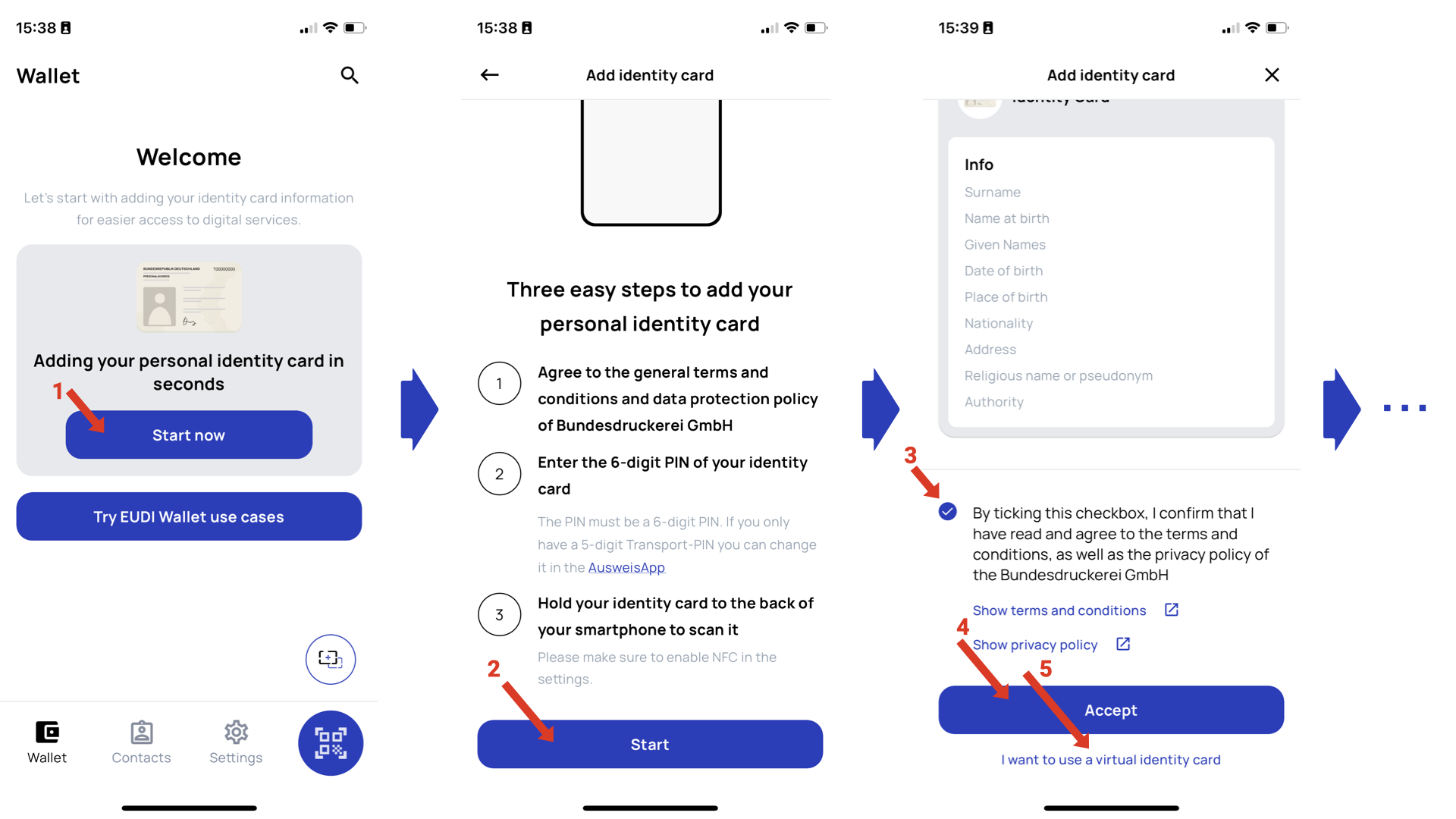
You can initiate the issuance of a PID using a demo issuer of Bundesdruckerei GmbH on the home screen of the app as shown in the following screens. In the third screen, you can either choose to use a physical eID card to initiate the PID issuance (4) or use a virtual/simulated eID card (5).
The PID will be issued in two digital credential formats mdoc and sd-jwt.
Technical Profile
The Lissi Wallet for Funke version is based on the German eIDAS Architecture concept and supports the following versions of protocols for the issuance and the presentation of digital credentials:
When a Verifier uses DCQL in the request, the Lissi Wallet assumes that Version 1.0 of OpenID4VP is being used
Protocol | Version | Features supported |
|---|---|---|
OpenID4VCI |
| |
OpenID4VP |
| |
SD-JWT VC | ||
mdoc (mdl) |
Testbed Issuer
To issue some demo credentials into the Lissi Wallet you may use the test provided for the Funke version here.
Wallet Invocation
The Lissi Wallet can be invoked via the following custom schemes:
haip://openid4vp://openid-credential-offer://mdoc-openid4vp://eudi-openid4vp://https://oob.lissi.io/vcihttps://oob.lissi.io/vp
You can invoke the wallet on a device where the Lissi Wallet is installed by launching the following URL:
openid-credential-offer://?credential_offer_uri=https%3A%2F%2Fsimple.demo.connector.lissi.io%2Fopenid4vci%2Fcredential_offer%2Fe3d51475-1742-4ded-9408-c8817192b64b
But you can also transform the url above and encode it into a QR code as below:

This QR code might be scanned with the camera in the Lissi Wallet or the camera app of Android or iOS.